A secure, multi-role platform MVP for end-of-life planning, building, and managing memorial websites.
Picture this: The product is best understood as a multi-role platform similar to The Knot, but for end-of-life planning and memorial websites.

This and Beyond
Scroll below to view full Memorial planning dashboard page.

My role
Sole Product Designer (0→1)
Timeline
6 Weeks
Scope
Marketing Website
Planner & Mourner Dashboards Planner & Mourner Editor Memorial Microsite
Design System
Constraints
No existing product, evolving requirements, MVP definition in parallel with design
Platforms
Web, Mobile, Public site
Launch
Soon
Overview
This & Beyond is an end-of-life planning platform designed to help people plan ahead while they’re alive - and support loved ones when the time comes. The product needed to serve two distinct user modes (Planner and Mourner), support emotionally sensitive workflows, and scale from personal planning to a public memorial experience.
The founder often described the vision as “The Knot for after-life planning”—a familiar mental model that guided many design decisions around structure, tone, and usability.
in progress
This case study is currently being updated. Some sections and visuals are in progress but still show the overall design process and outcomes.
Challenge
Design a complex, multi-role platform without overwhelming users
Support long-form, emotionally heavy inputs (life stories, messages, instructions)
Ensure a smooth transition from Planner → Mourner without loss of context
Create an MVP that felt complete enough to build in Bubble, without over-engineering
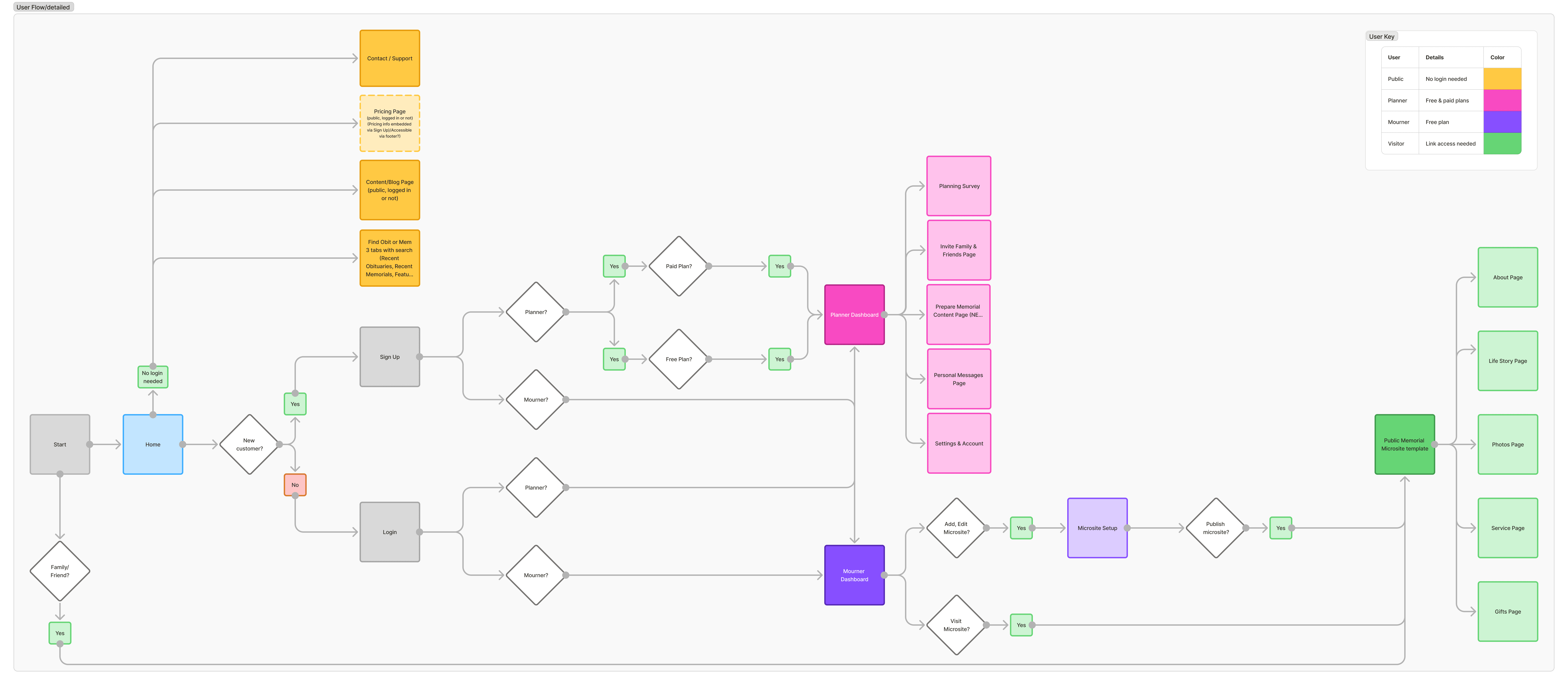
User flow: detailing how information is shared from Planner User to the Mourner User and then to the Public
Focused Area: Dashboards & Editors
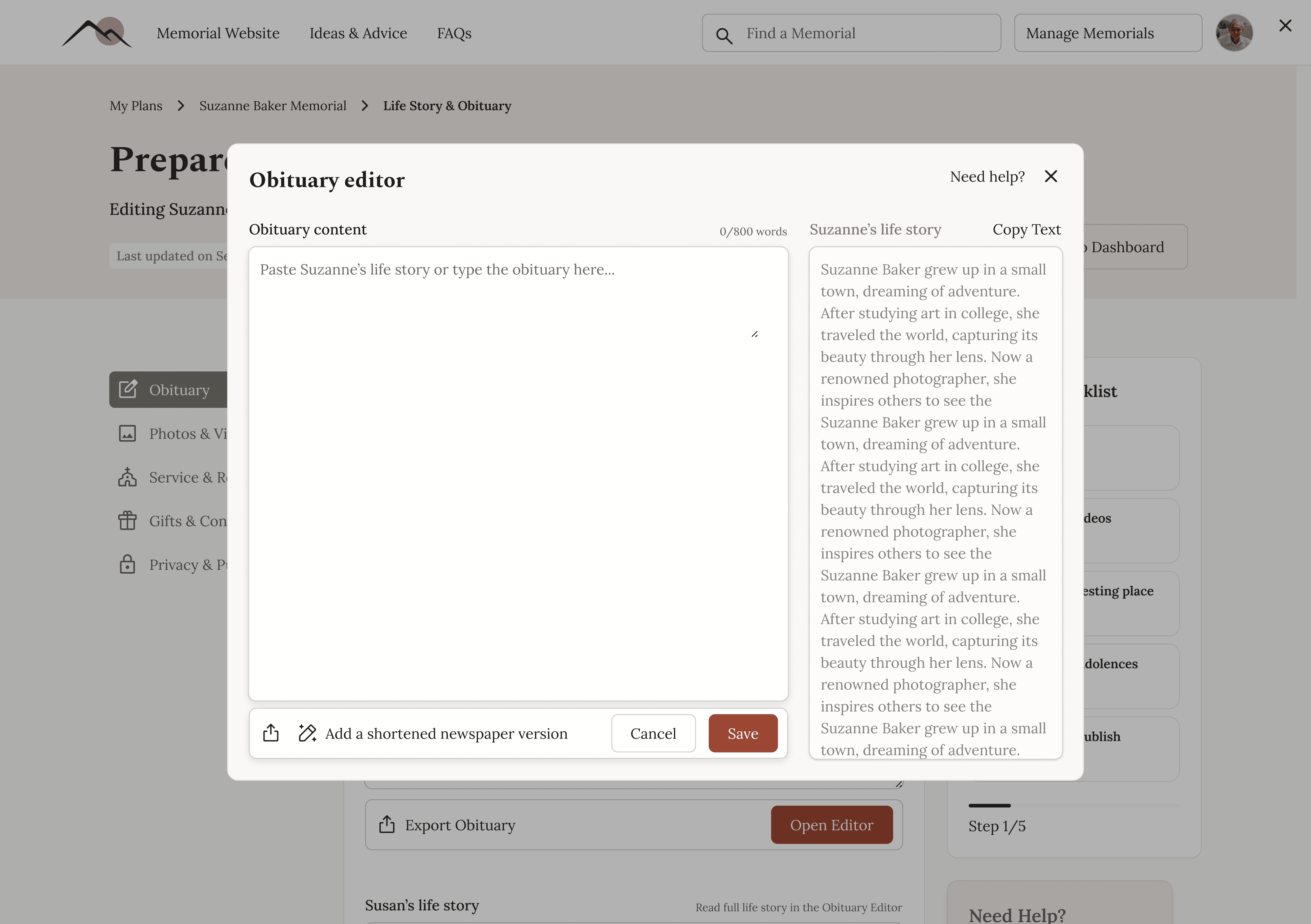
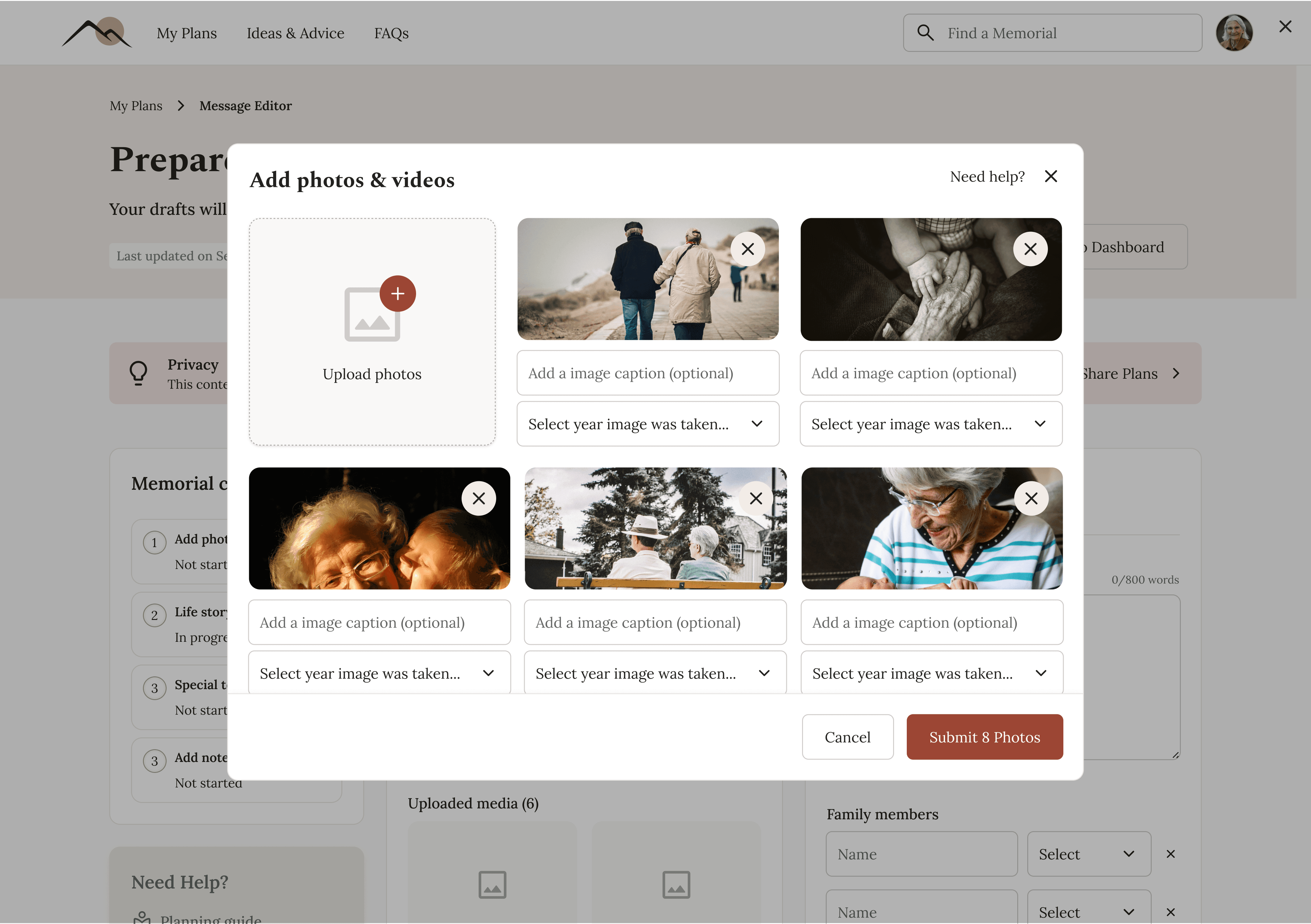
I focused most of my effort on the internal dashboards and editors, where users needed clarity, guidance, and confidence while working through emotionally heavy tasks.
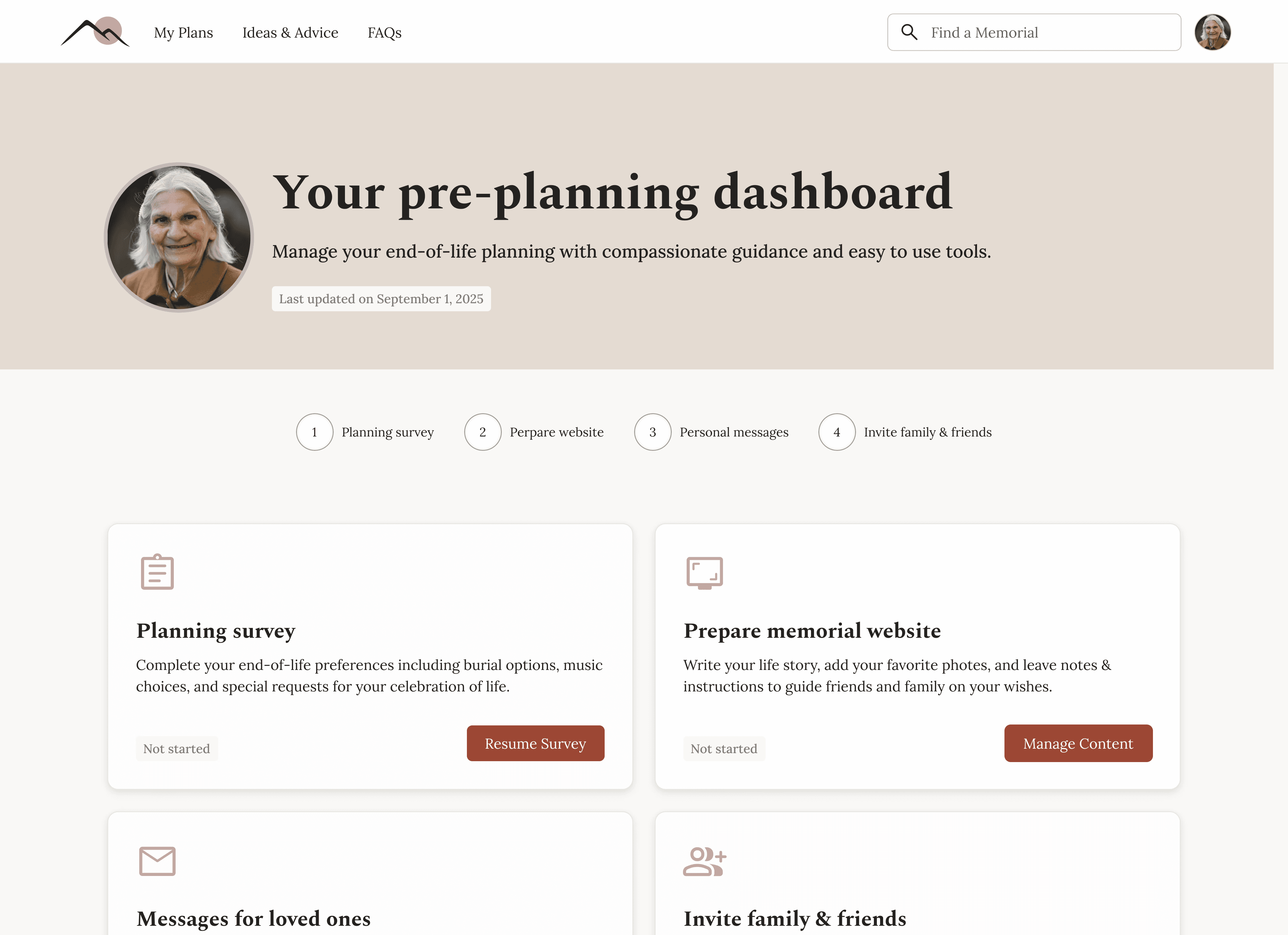
Planning Dashboard
Planning Survey
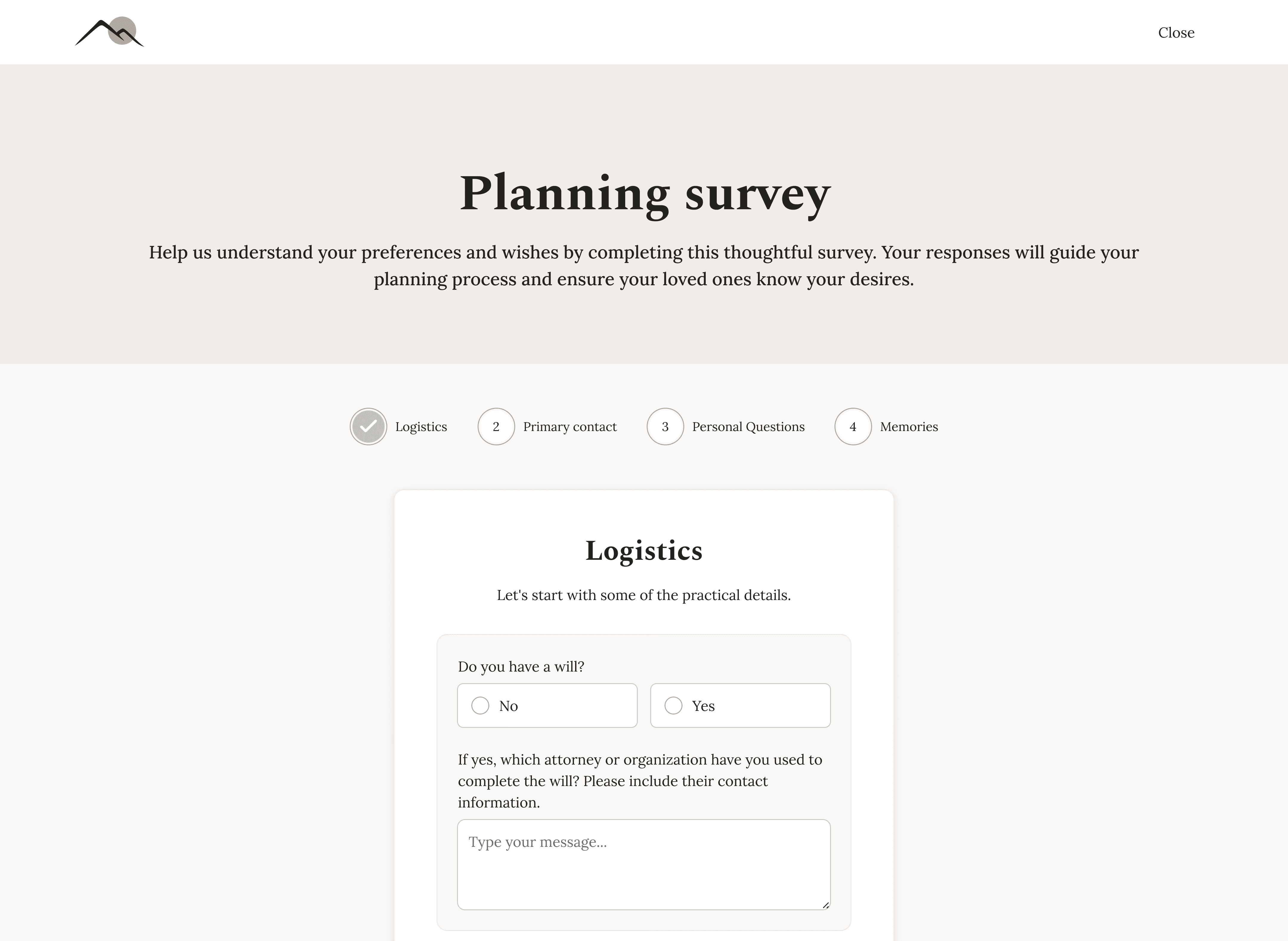
Planning Survey
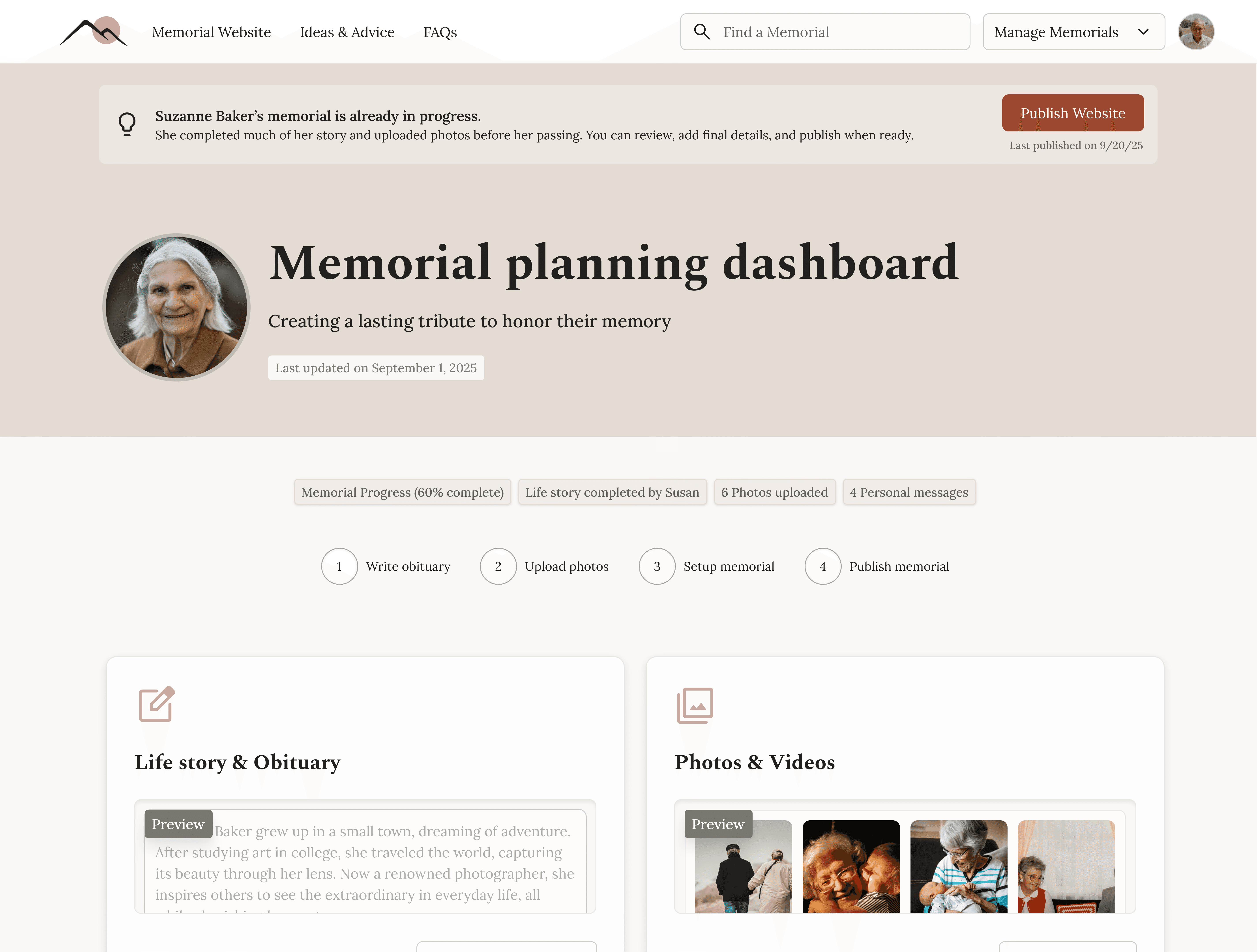
Memorial Microsite Editor
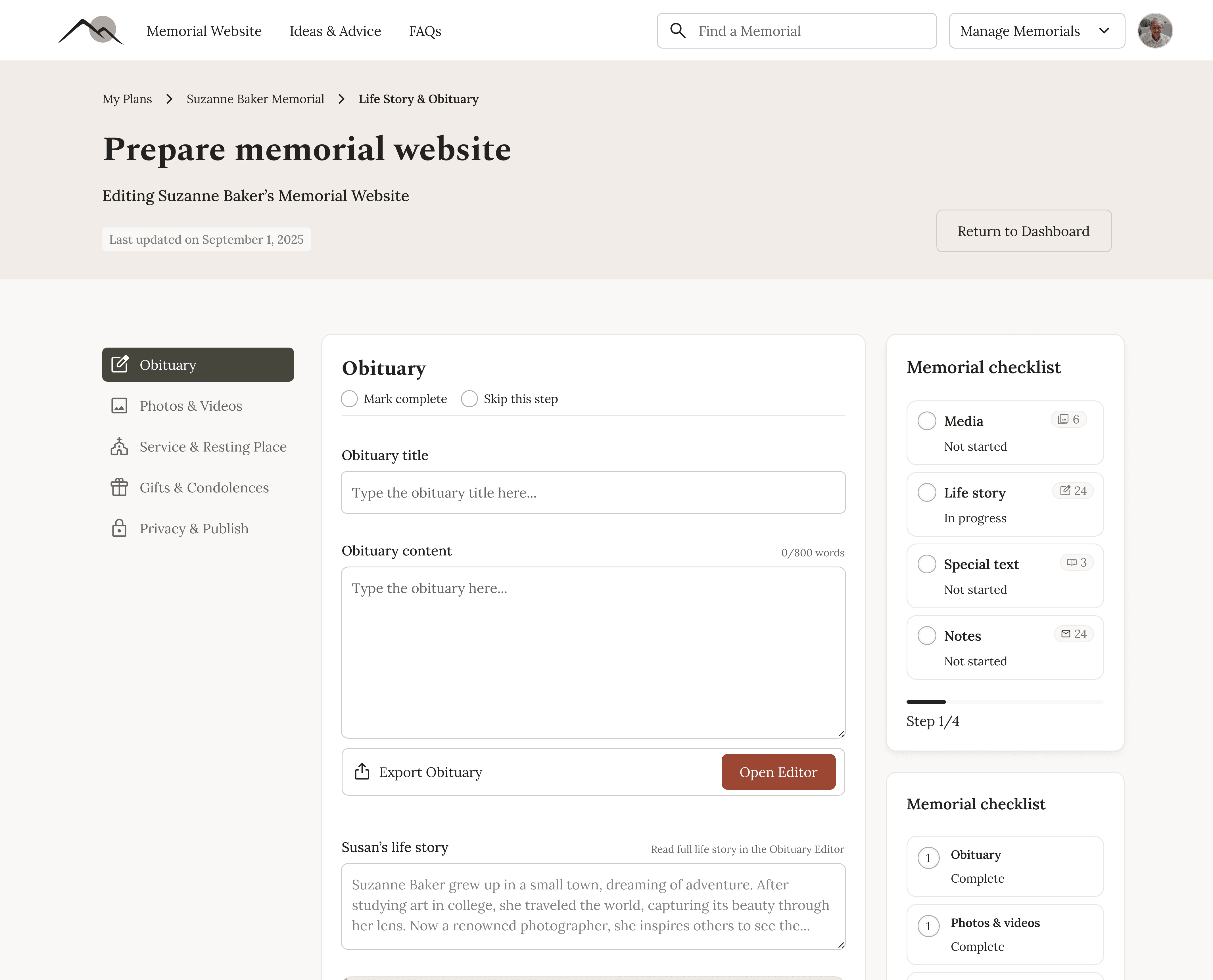
Obituary/Life Story Editor
Media Editor
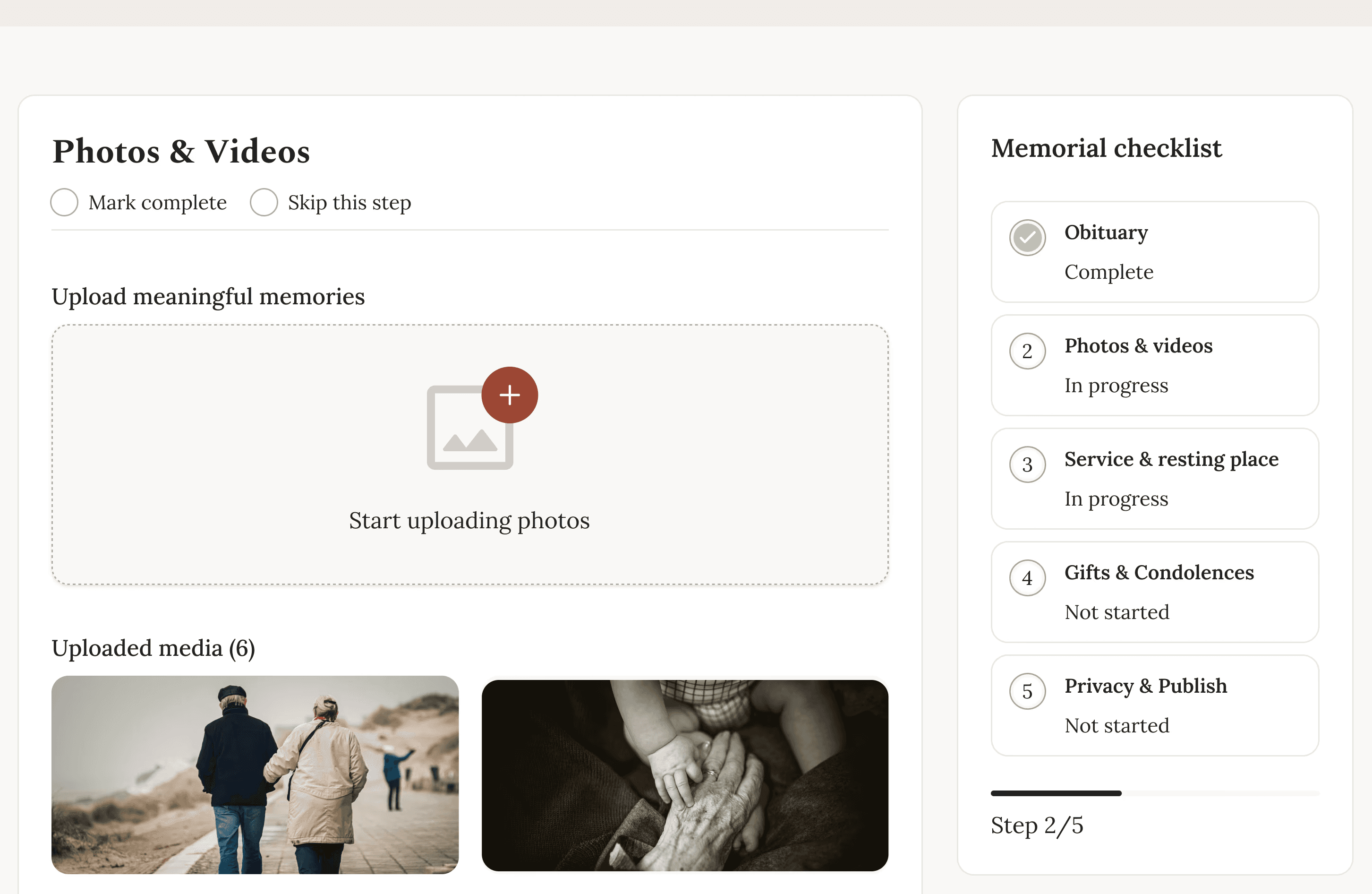
Progress State Example
My approach
I focused on clarity over novelty and structure over surface polish, prioritizing:
Clear mental models
Progressive disclosure
Reusable systems
Strong handoff for no-code development
The core of the work centered on dashboards and editors, where most complexity lived.
The platform had to support private planning, post-loss execution, and a public-facing site - all using the same underlying content.
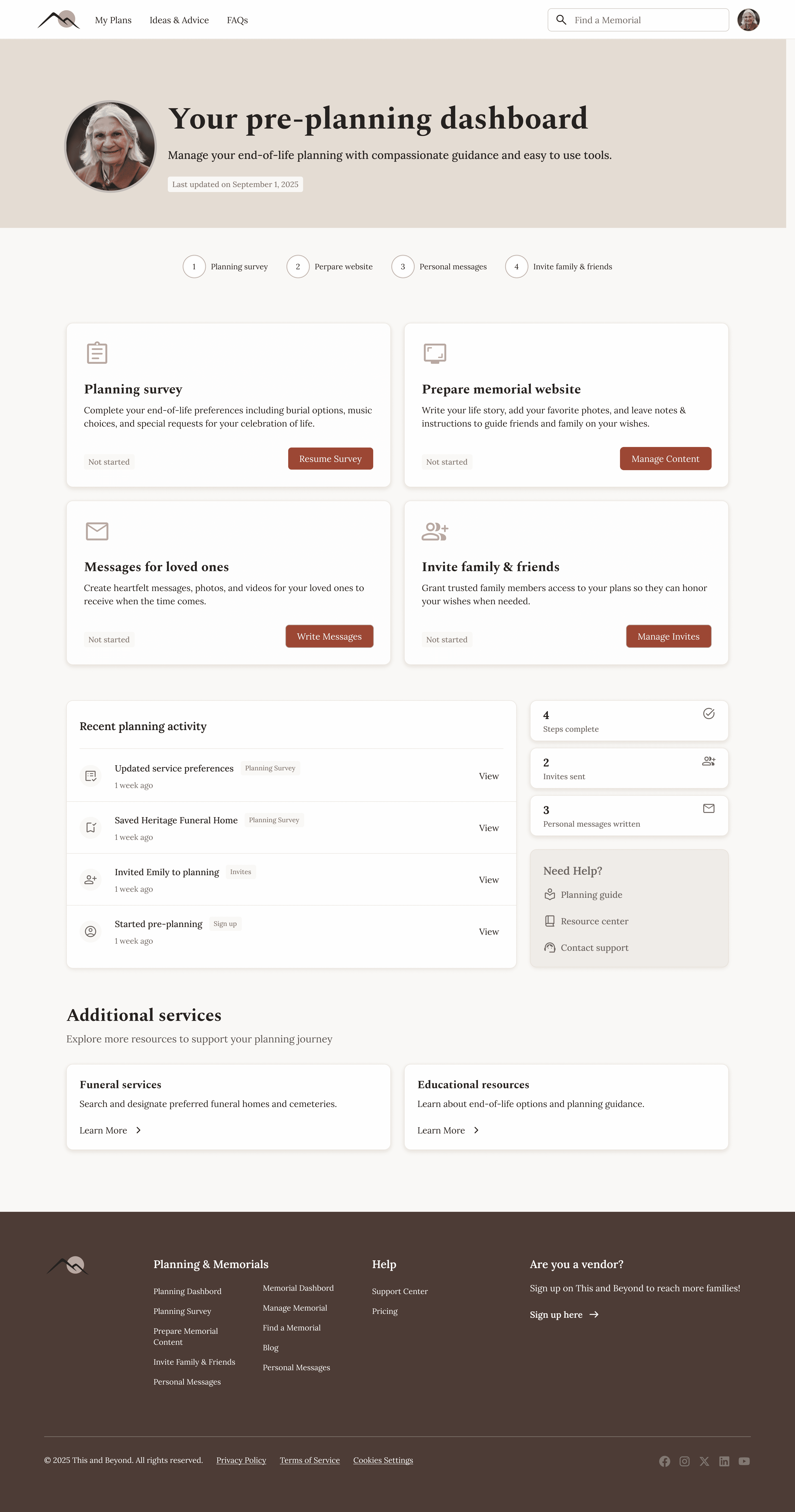

Planner Dashboard (private planning)
Planner User: Personal end of life planning. Once they pass, data is shared with the Mourner User
Mourner Dashboard (post-lost execution)
Memorial Website (public-facing site)
Additional screens
Other project components included a marketing website, a public space to search and view memorials, and a public blog with articles on various afterlife planning topics.
See a few of these screens below.
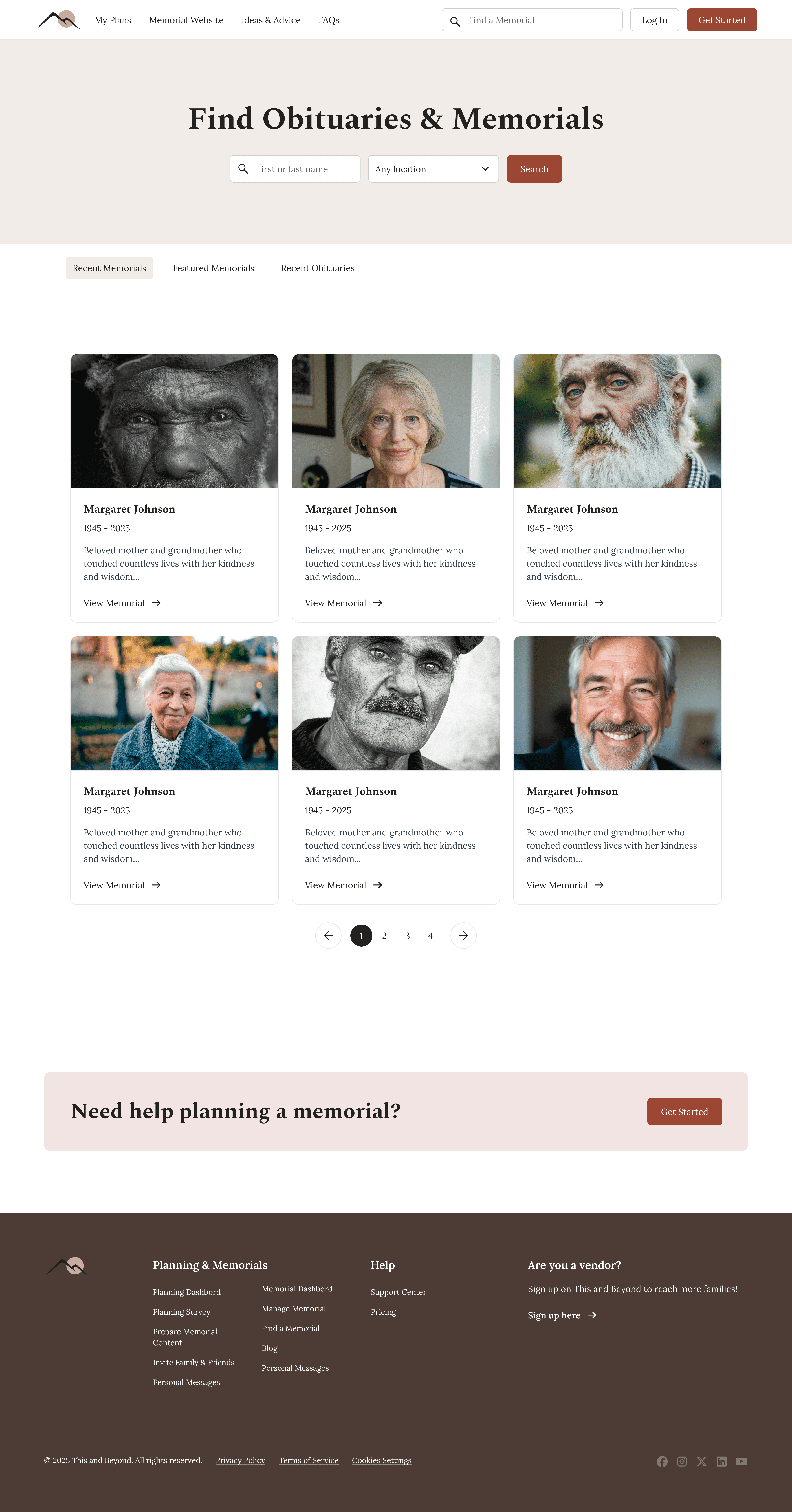
Find a Memorial screen

Ideas & Advice - Public blog screen

Memorial website - Gifts screen
Testing and accessibility
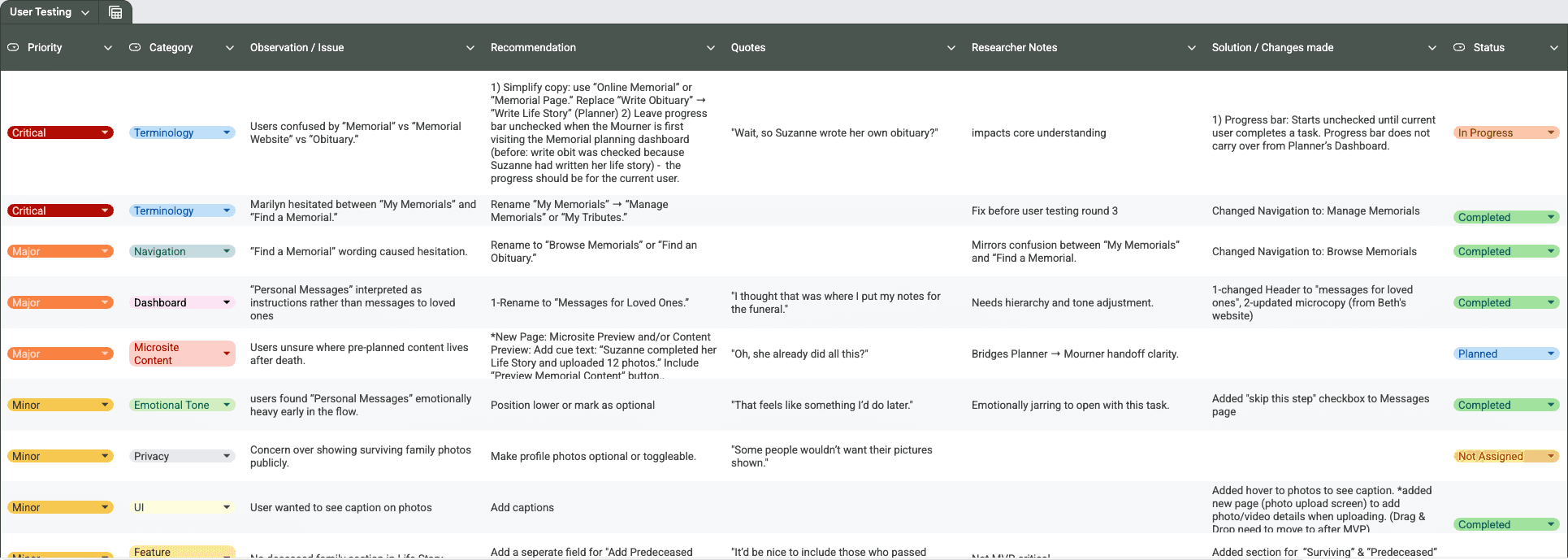
I conducted early usability testing with older adults, including users who regularly read obituaries and memorials online. This helped validate the overall structure while surfacing clarity issues around terminology (e.g., memorial vs. obituary) and expectations for content order.
Design decisions prioritized accessibility and cognitive ease: clear language, large tap targets, high contrast, predictable navigation, and progressive disclosure to avoid overwhelming users during emotionally sensitive tasks. Feedback directly informed refinements to dashboard hierarchy, progress indicators, and the memorial viewing experience.
Design System & Handoff
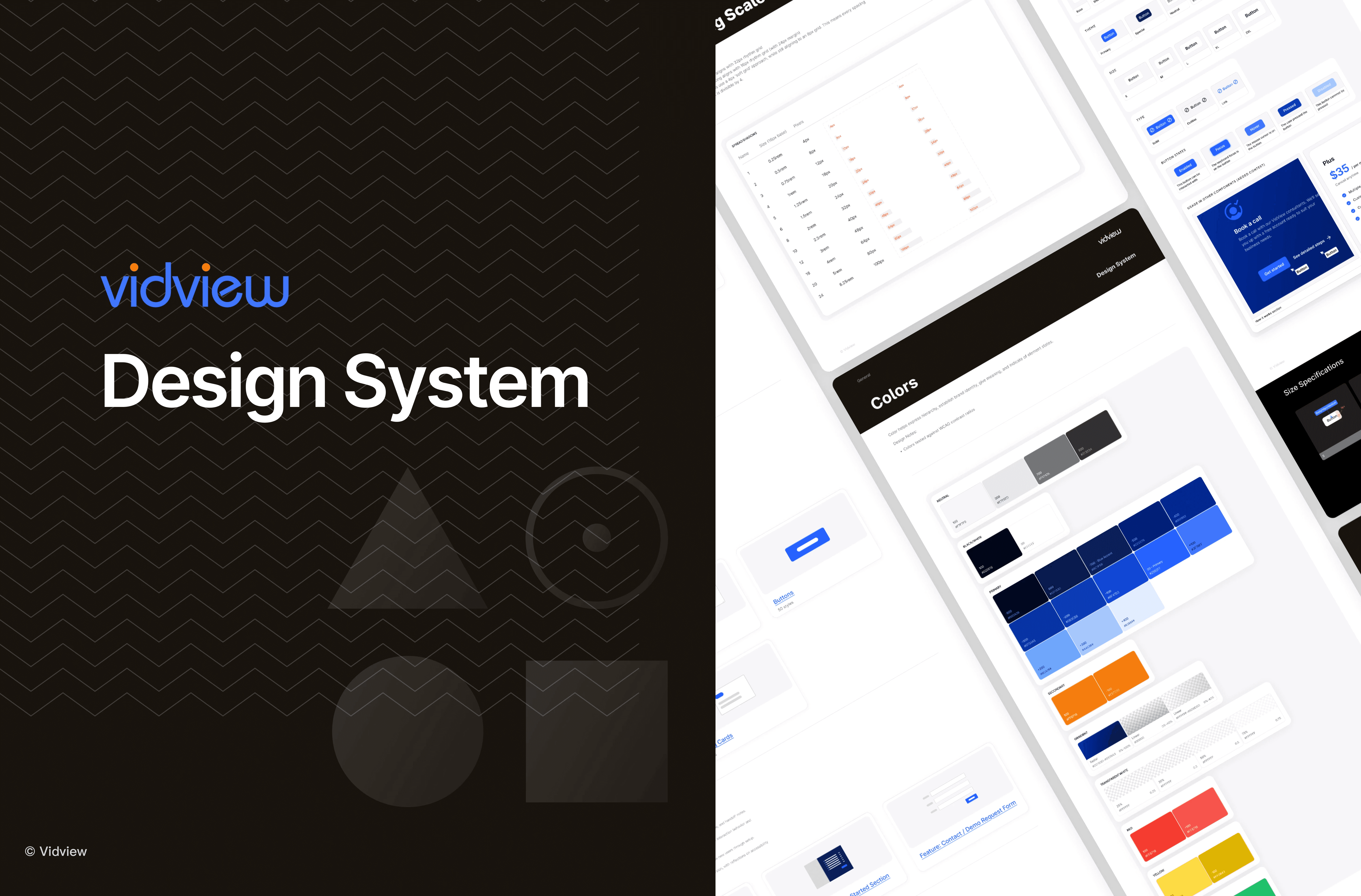
A lean design system was created to support MVP development:
Core components (buttons, inputs, cards, navigation)
Defined states (hover, disabled, empty, error)
Layout and width guidelines for marketing pages, dashboards, and microsites
Interaction notes tailored for Bubble implementation
All designs were delivered with developer-ready organization and documentation.

What This Project Demonstrates
Designing for emotionally complex, real-world scenarios
Structuring multi-role SaaS platforms
Translating ambiguity into clear, scalable systems
Balancing MVP constraints with long-term product vision
Designing with developers in mind from day one
Next Steps
This case study is actively being refined as the product moves forward. Future iterations will include additional validation, expanded metrics, and deeper UI polish as the platform launches and evolves.